Photo to ink wash painting
Turn a photo into ink-wash art.
Upload a photo and use the reference-guided preset to redraw it with flowing ink gradations, expressive brushwork, and generous negative space on rice paper. The preset keeps the composition readable while the workspace keeps ink density and empty space editable.
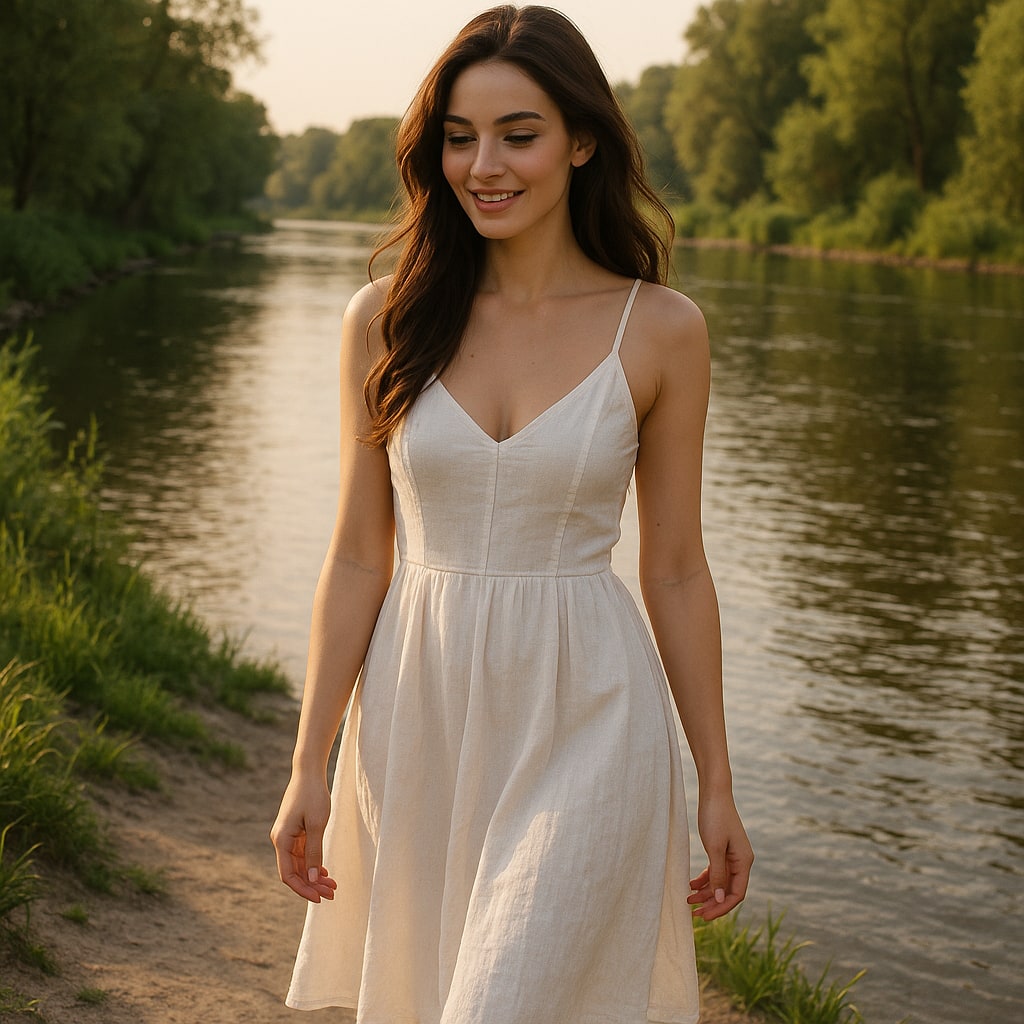
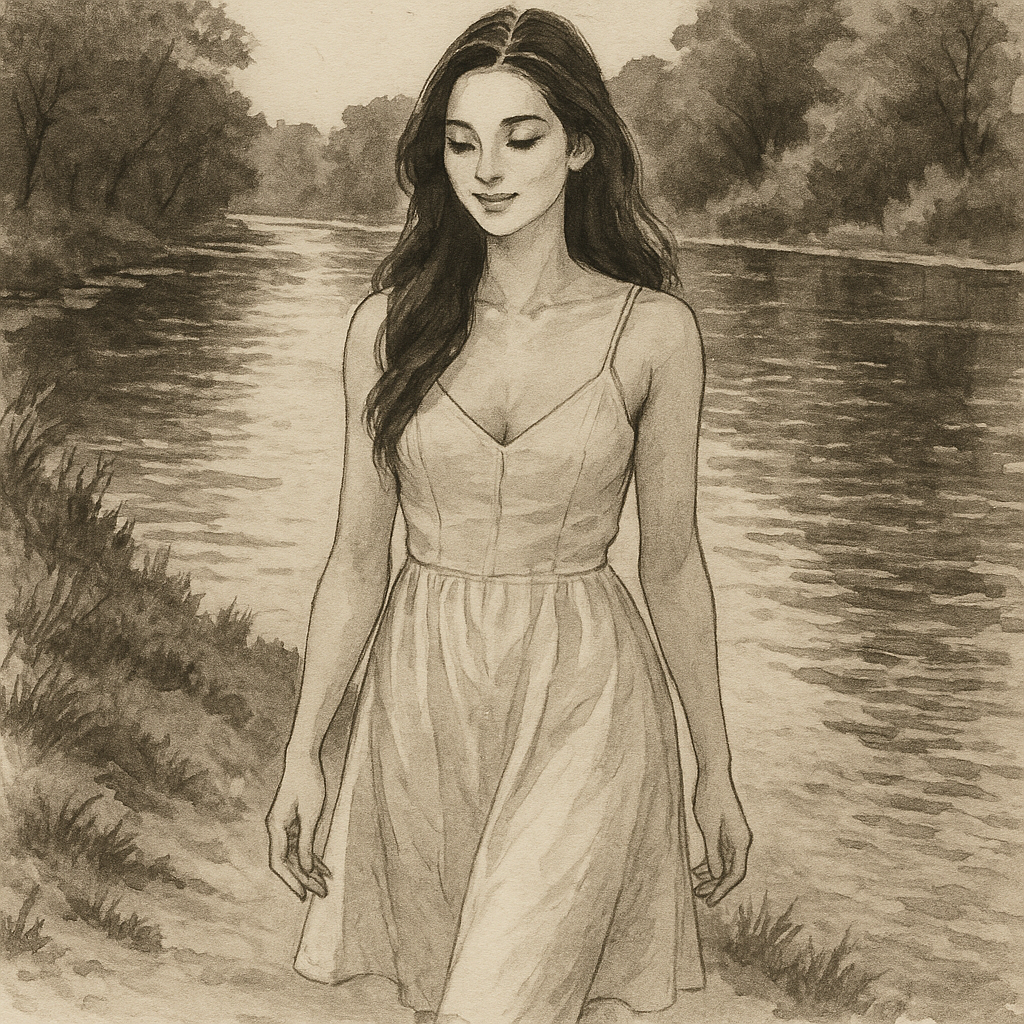
- Input
- One photo with a clear focal subject
- Output
- Monochrome sumi-style ink painting
- Best for
- Landscapes, pets, and minimalist wall art
Original photo / Ink wash painting
See the ink-wash tone before you generate
Drag the divider to compare the source photo with a flowing Chinese ink-wash painting.
Original photoInk wash paintingA focused photo-to-ink workflow
Let the emptiness breathe
The preset simplifies backgrounds into mist and paper, keeping attention on the inked focal subject.
Dial the ink tone
Edit the prompt for pale gray washes, deep saturated blacks, or a single warm accent seal.
Compare against the source
Use the reference-image comparison to check the composition before downloading or generating another pass.
How to turn a photo into ink-wash art
The preset supplies the ink-wash direction while the ImageStyle workspace keeps the prompt and output settings editable.
- 1
Upload a photo with one focal subject
Mountains, birds, cats, and trees read best. Busy scenes lose their poetry when everything is inked.
- 2
Review the ink-wash prompt
The sumi brush direction is prefilled. Keep it, or ask for denser ink or more empty paper.
- 3
Generate and compare
Inspect the painting beside the original photo, then refine or download the result.
What to inspect in the generated painting
- Color disappears by design
- The preset works in ink tones. Keep color only if you edit the prompt for an accent.
- Fine detail becomes brushwork
- Intricate textures turn into suggestive strokes. Expect suggestion, not documentation.
- Use source material you can share
- Only upload photos and references that you are allowed to use for the intended project.
Photo to ink wash FAQ
- How is this different from charcoal drawing?
- Ink wash uses fluid brush gradations and prizes empty space, while charcoal builds tone from smudged dry strokes across the whole frame.
- Do I need to write a prompt?
- No. The ink-wash direction is prefilled and editable. Generate as-is or adjust ink density and empty space first.
- Can it add a red artist seal?
- Yes. Edit the prompt to include a small red seal stamp for a traditional finishing touch.
- What happens to my uploaded photo?
- The image is uploaded to the same reference-image workflow used by the ImageStyle generator. Review the current privacy and storage terms before using sensitive material.
Updated:
Workflow source: Current ImageStyle reference-image generator.