Photo to mandala
Turn a photo into mandala art.
Upload a photo and use the reference-guided preset to distill it into a symmetric mandala with radiating petals and ornamental linework. The preset keeps the motif centered while the workspace keeps detail density and palette editable.
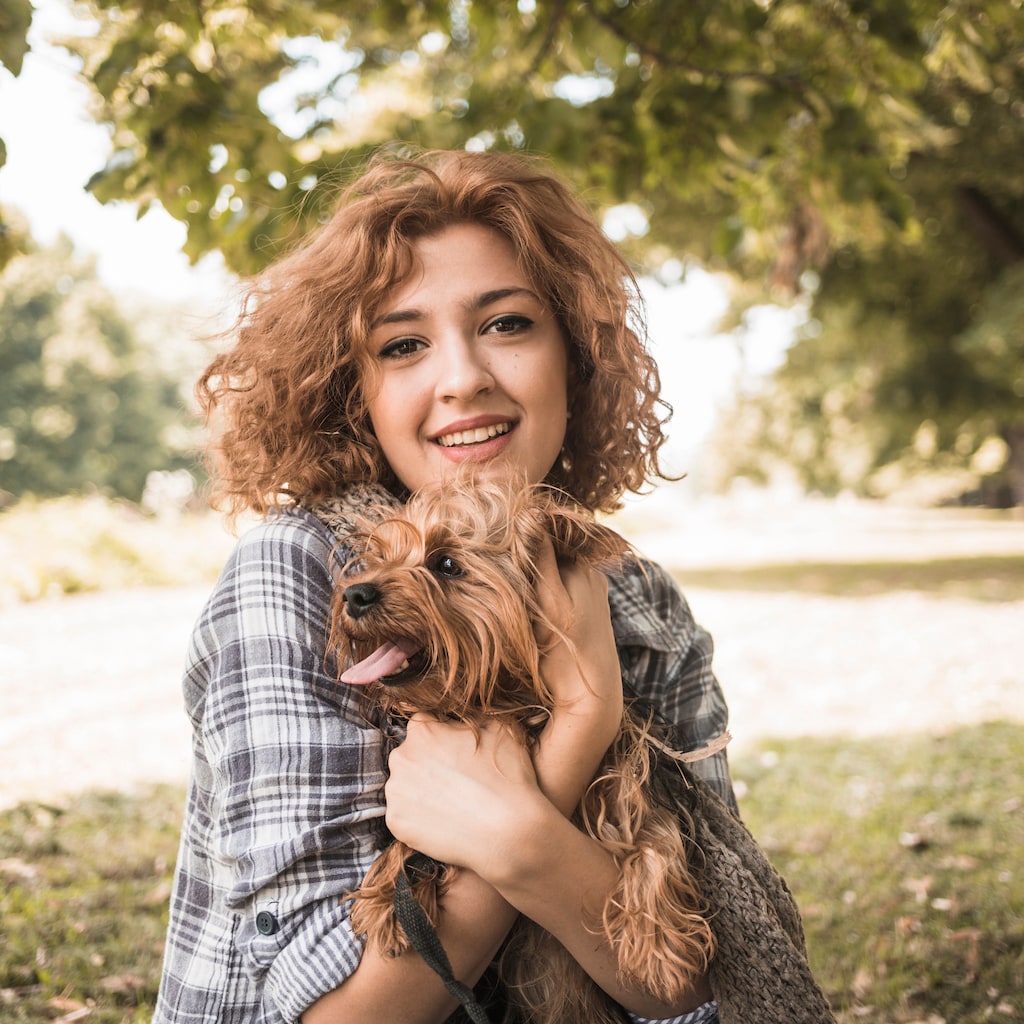
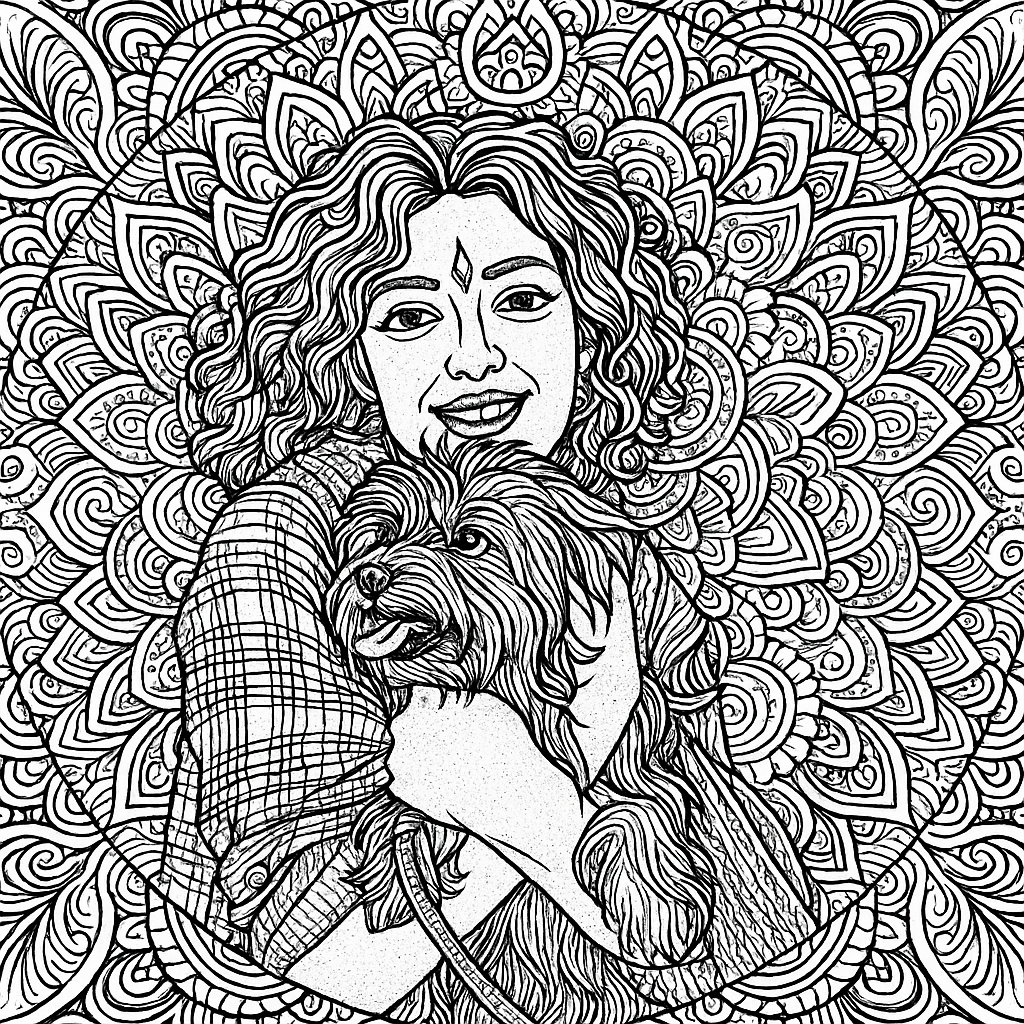
- Input
- One photo with a clear central subject
- Output
- Symmetric ornamental mandala artwork
- Best for
- Wall art, coloring pages, and tattoos
Original photo / Mandala art
See the mandala symmetry before you generate
Drag the divider to compare the source photo with an ornamental mandala interpretation.
Original photoMandala artA focused photo-to-mandala workflow
Keep the motif centered
The preset extracts the core shape of the subject and rebuilds it around a symmetric radial center.
Control the ornament density
Edit the prompt for sparse line-only mandalas or densely layered decorative rings.
Compare against the source
Use the reference-image comparison to check the motif before downloading or generating another pass.
How to turn a photo into mandala art
The preset supplies the mandala direction while the ImageStyle workspace keeps the prompt and output settings editable.
- 1
Upload a centered photo
Flowers, faces, and objects shot head-on translate into balanced mandala motifs more reliably.
- 2
Review the mandala prompt
The symmetric ornament direction is prefilled. Keep it, or ask for simpler petals or finer linework.
- 3
Generate and compare
Inspect the mandala beside the original photo, then refine or download the result.
What to inspect in the generated mandala
- The subject becomes abstract
- Mandalas turn the photo into ornament rather than a likeness. Expect a motif, not a portrait.
- Off-center photos work poorly
- Strongly off-center or cluttered photos produce lopsided rings. Centered subjects work best.
- Use source material you can share
- Only upload photos and references that you are allowed to use for the intended project.
Photo to mandala FAQ
- Will the result still look like my photo?
- Only loosely. The preset keeps the central motif and general character, then rebuilds the image as symmetric ornament.
- Do I need to write a prompt?
- No. The mandala direction is prefilled and editable. Generate as-is or adjust density and color first.
- Can I get a black-and-white line version?
- Yes. Edit the prompt to request monochrome linework, which also works well as a coloring page.
- What happens to my uploaded photo?
- The image is uploaded to the same reference-image workflow used by the ImageStyle generator. Review the current privacy and storage terms before using sensitive material.
Updated:
Workflow source: Current ImageStyle reference-image generator.