Photo to cubism
Turn a photo into a cubist painting.
Upload a photo and use the reference-guided preset to fragment the subject into overlapping geometric planes and simultaneous viewpoints while it stays recognizable.

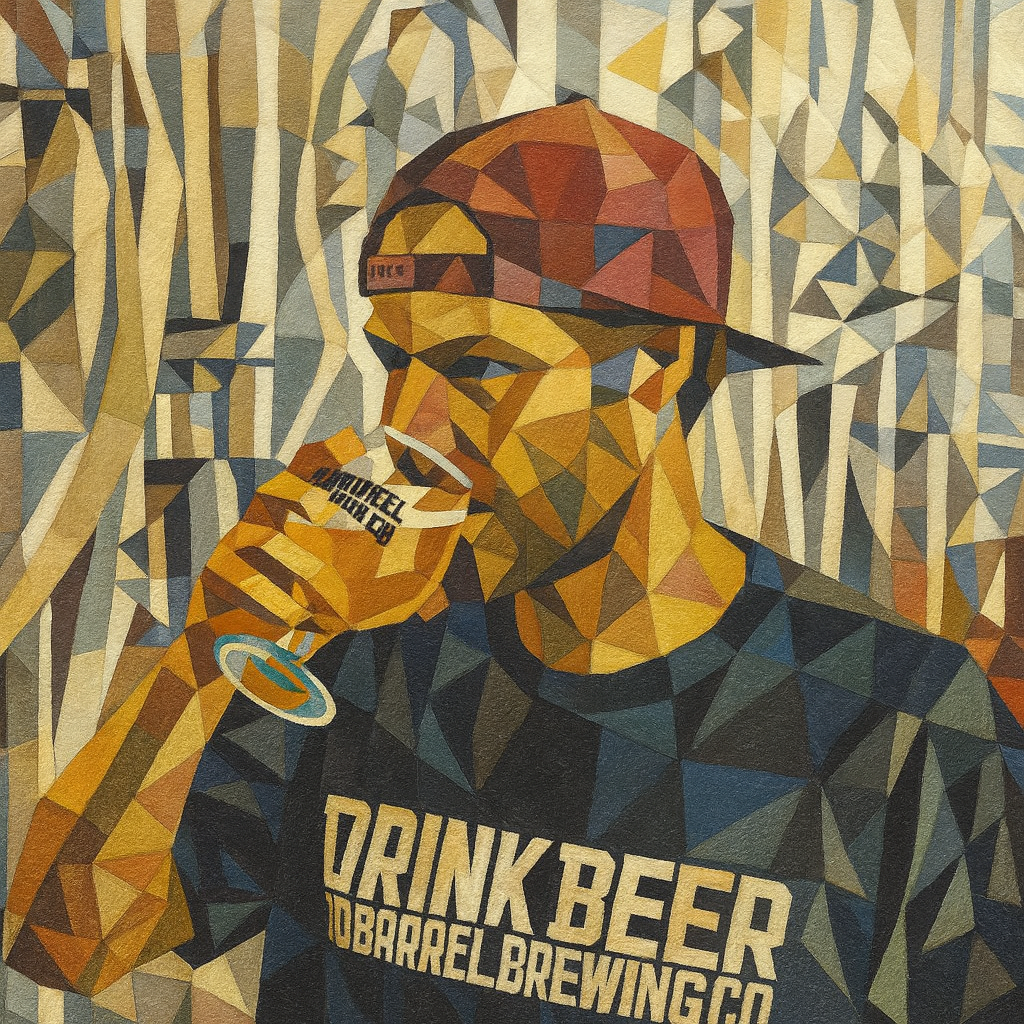
- Input
- One photo with a strong subject
- Output
- Faceted cubist-style painting
- Best for
- Portraits, instruments, and still lifes
Original photo / Cubism
See the faceted planes before you generate
Drag the divider to compare the source photo with a cubist interpretation of overlapping planes.
Original photoCubismA focused photo-to-cubism workflow
Keep the subject findable
The preset fragments form while preserving enough structure to recognize the original subject.
Tune the palette era
Edit the prompt for muted analytic tones or brighter synthetic accents.
Compare against the source
Use the reference-image comparison to verify the subject survives the fragmentation.
How to turn a photo into a cubist painting
The preset supplies the cubist direction while the ImageStyle workspace keeps the prompt and output settings editable.
- 1
Upload a photo with a strong subject
Single subjects with clear geometry, such as faces, guitars, or bottles, fragment more convincingly than crowds.
- 2
Review the cubist prompt
The overlapping-plane direction is prefilled. Keep it or adjust the palette and fragmentation strength.
- 3
Generate and compare
Inspect the painting beside the original photo, then refine or download the artwork.
What to inspect in the generated painting
- Likeness becomes abstract
- Strong fragmentation intentionally distorts features. Reduce fragmentation in the prompt if it goes too far.
- Busy scenes become noise
- Multiple subjects and cluttered rooms produce confusing planes. One subject works best.
- Use source material you can share
- Only upload photos and references that you are allowed to use for the intended project.
Photo to cubism FAQ
- Which subjects suit cubism best?
- Faces, musical instruments, bottles, and still lifes. The historical style was built on those forms.
- Do I need to write a prompt?
- No. The cubist preset starts with an editable direction. Generate as-is or adjust palette and fragmentation first.
- Will the result look like a specific painter?
- The preset targets the shared cubist language of planes and simultaneous viewpoints. Naming living artists is not supported.
- What happens to my uploaded photo?
- The image is uploaded to the same reference-image workflow used by the ImageStyle generator. Review the current privacy and storage terms before using sensitive material.
Updated:
Workflow source: Current ImageStyle reference-image generator.