AI photo restoration
Restore old photos with AI.
Upload a damaged photo and use the reference-guided preset to repair scratches, tears, and fade while keeping faces, clothing, and composition faithful to the original. The preset preserves the period look while the workspace keeps detail level and finish editable.
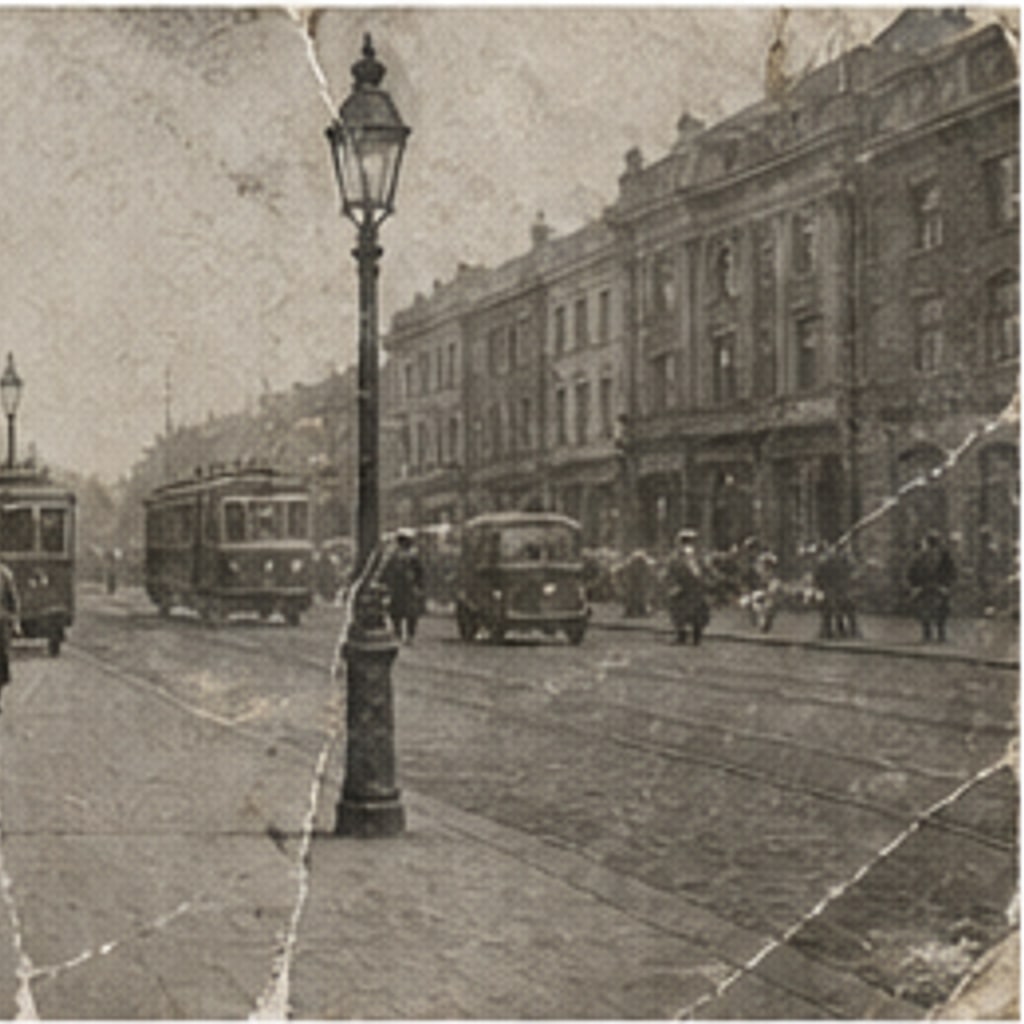
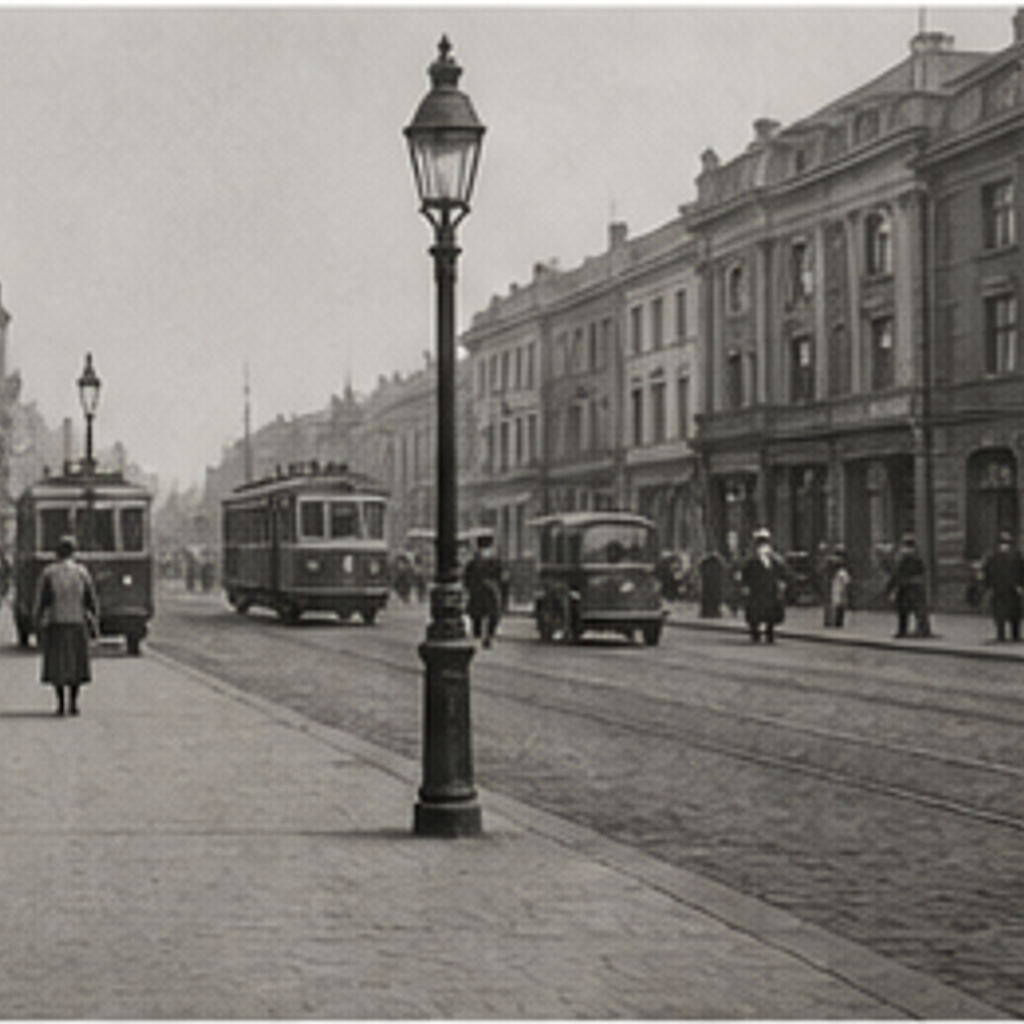
- Input
- One old or damaged photo
- Output
- Repaired, clean version of the same photo
- Best for
- Family archives and keepsake prints
Damaged photo / Restored photo
See the repair before you generate
Drag the divider to compare the damaged original with its restored version.
Damaged photoRestored photoA focused photo-restoration workflow
Stay faithful to the original
The preset repairs damage without modernizing faces, outfits, or the scene itself.
Control how much is rebuilt
Edit the prompt for light cleanup of dust and scratches, or fuller reconstruction of torn areas.
Compare against the source
Use the reference-image comparison to confirm nothing drifted before downloading.
How to restore an old photo
The preset supplies the restoration direction while the ImageStyle workspace keeps the prompt and output settings editable.
- 1
Upload the best version you have
A flat, well-lit scan or re-photograph of the original gives the model the most to work with.
- 2
Review the restoration prompt
The repair direction is prefilled. Keep it, or adjust for heavier damage or gentler cleanup.
- 3
Generate and compare
Inspect the restored version beside the original, then refine or download the result.
What to inspect in the restored photo
- Severe damage is interpretive
- Where information is missing, the model invents plausible detail. Check faces carefully against the original.
- Faces may shift slightly
- Identity is usually preserved, but small features can drift on badly damaged originals. Verify before printing.
- Use photos you have the right to restore
- Only upload photos that you are allowed to modify for the intended use.
AI photo restoration FAQ
- Will it add color to my photo?
- No. The preset keeps the photo monochrome. Use the colorize-photo workflow afterward if you want a color version.
- Do I need to write a prompt?
- No. The restoration direction is prefilled and editable. Generate as-is or adjust the repair intensity first.
- Can it fix a very torn or water-damaged print?
- Often yes, but heavily damaged areas are reconstructed rather than recovered. Expect plausible detail, not a perfect recovery.
- What happens to my uploaded photo?
- The image is uploaded to the same reference-image workflow used by the ImageStyle generator. Review the current privacy and storage terms before using sensitive material.
Updated:
Workflow source: Current ImageStyle reference-image generator.