AI clothes changer
Swap the outfit, keep the person.
Upload a photo and use the reference-guided preset to restyle the clothing — from everyday wear to formal or themed looks — while identity, face, pose, lighting, and background stay exactly as shot. The workspace keeps garment style and color editable.
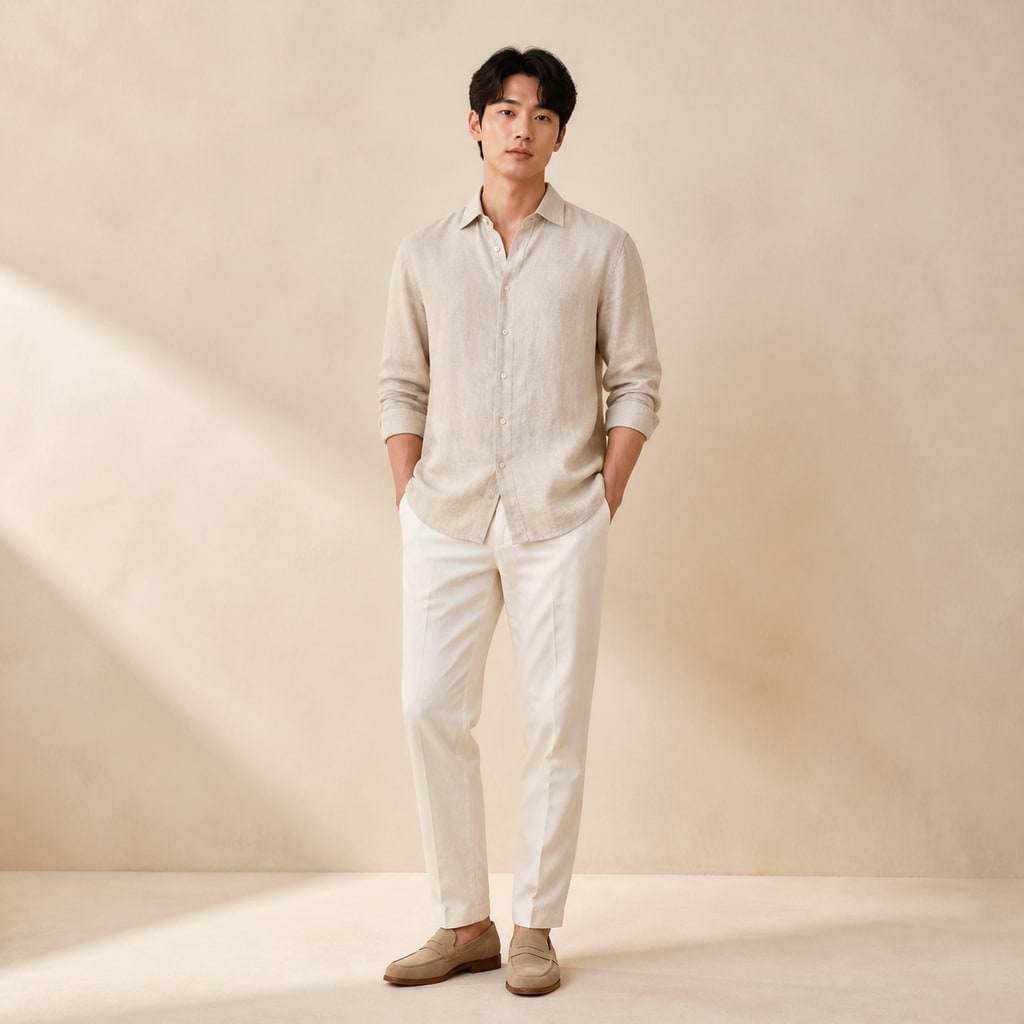
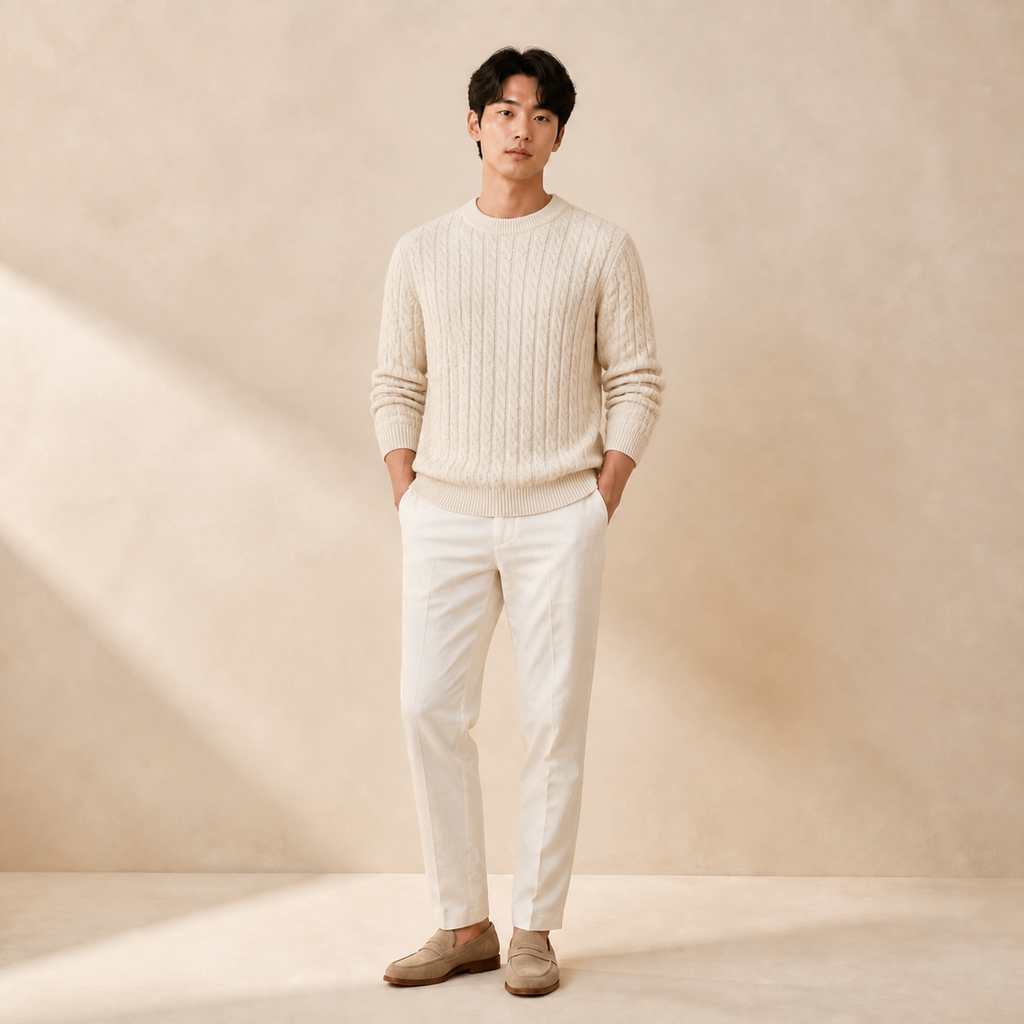
- Input
- One clear photo with visible clothing
- Output
- The same photo with a new styled outfit
- Best for
- Look planning, profiles, and product ideas
Original photo / New outfit
See the new outfit before you generate
Drag the divider to compare the original outfit with a restyled look.
Original photoNew outfitA focused outfit-swapping workflow
Identity stays locked
The preset changes clothing only — face, hair, body pose, and background remain as shot.
Describe the target look
Edit the prompt for business attire, streetwear, gowns, or seasonal layers.
Compare against the source
Use the reference-image comparison to confirm only the clothing moved.
How to swap an outfit in a photo
The preset supplies the outfit direction while the ImageStyle workspace keeps the prompt and output settings editable.
- 1
Upload a clear clothing-visible photo
Outfits read best when the full torso is visible and evenly lit.
- 2
Review the outfit prompt
The styled-casual direction is prefilled. Keep it, or describe the target look and colors.
- 3
Generate and compare
Inspect the new outfit beside the original, then refine or download the result.
What to inspect in the edited photo
- Fabric folds are approximate
- Complex garments and fine texture may simplify. Check collars and seams at full size.
- Occluded bodies limit swaps
- Seated poses, crossed arms, or objects hiding the torso constrain what the preset can restyle.
- Only edit photos with consent
- Upload photos of yourself or of people who agreed to the outfit change.
AI clothes changer FAQ
- Will the face and pose stay the same?
- Yes. The preset changes the clothing only and keeps identity, pose, lighting, and background as shot.
- Do I need to write a prompt?
- No. A styled-casual look is prefilled and editable. Generate as-is or describe the target outfit first.
- Can I match a specific brand style?
- You can describe silhouettes and colors in the prompt, but the preset does not reproduce trademarks or logos.
- What happens to my uploaded photo?
- The image is uploaded to the same reference-image workflow used by the ImageStyle generator. Review the current privacy and storage terms before using sensitive material.
Updated:
Workflow source: Current ImageStyle reference-image generator.