사진을 크로스해칭으로
사진을 섬세한 크로스해칭 그림으로 바꾸세요.
사진을 올리고 피사체의 윤곽을 유지하면서 교차하는 검은 펜 선의 방향과 밀도로 명암을 다시 그리세요.
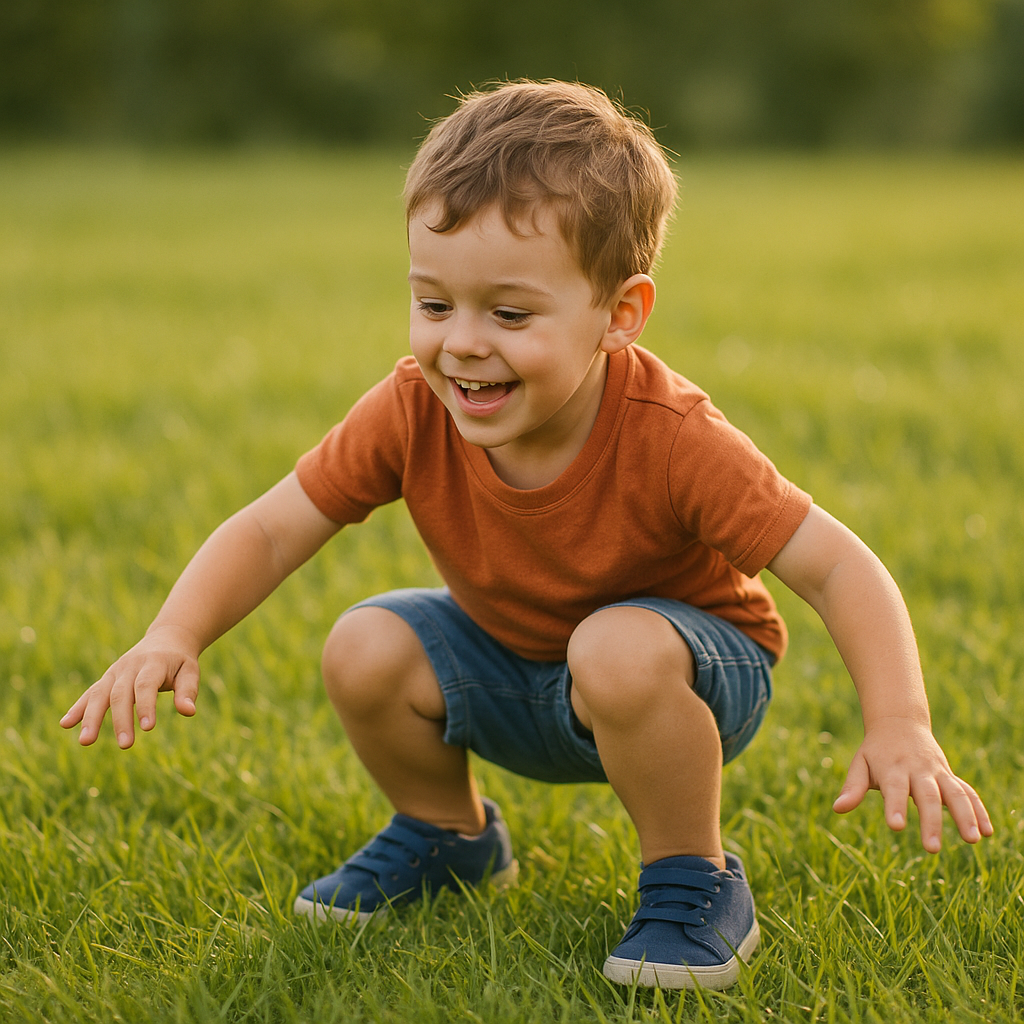
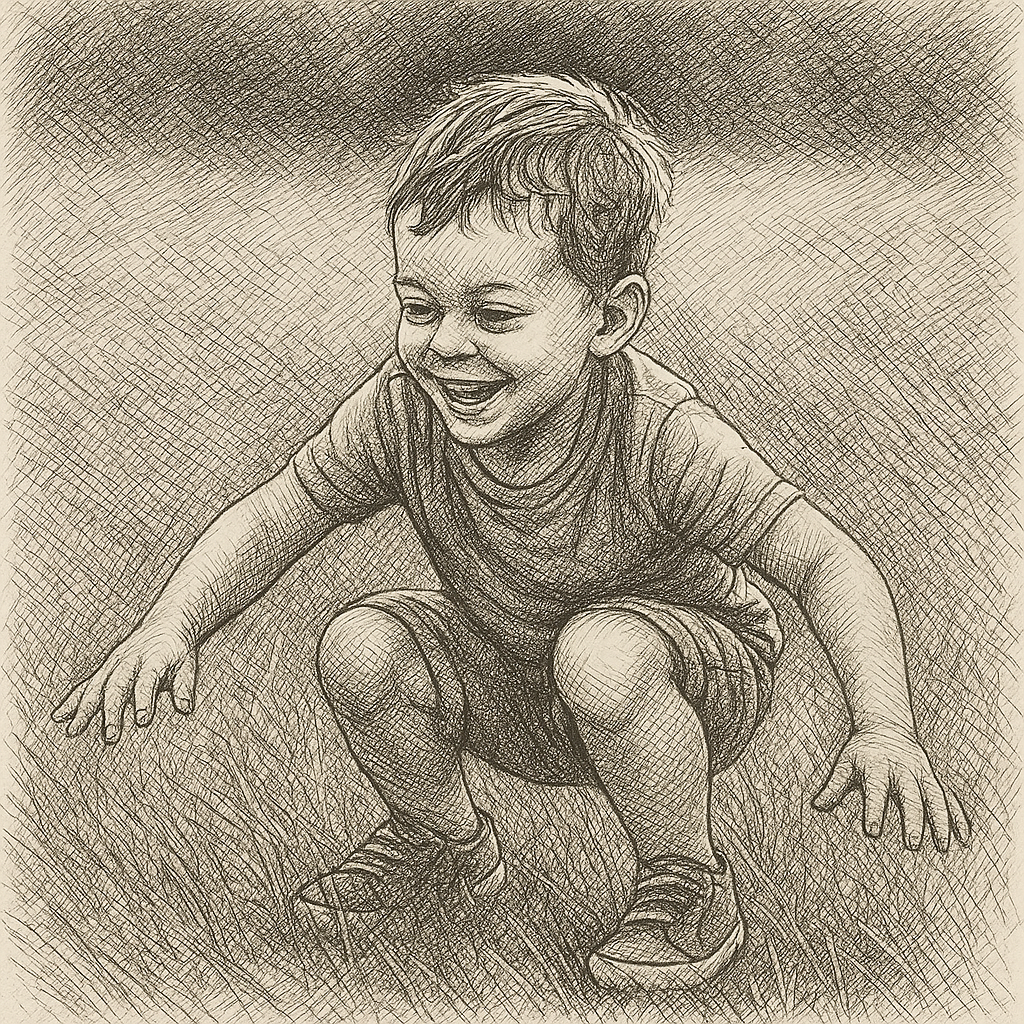
- 입력
- One reference photo with readable light
- 출력
- A layered black-ink drawing
- 다음에 가장 적합
- Portraits, objects, studies, and print art
Original photo / Cross-hatching drawing
See how crossed lines build tone
Drag the divider to compare the source portrait with a pen drawing built from deliberate layers of cross-hatching.
Original photoCross-hatching drawingCross-hatching rather than a grayscale filter
Build tone from intersecting lines
The preset uses line direction and density to describe highlights, midtones, shadows, and form.
Keep important contours readable
Faces, silhouettes, clothing, and object edges remain structural anchors beneath the pen texture.
Adjust line density
Ask for wider spacing, darker shadow layers, a cleaner white background, or a looser sketchbook finish.
How to make a cross-hatching drawing from a photo
Use the preset as a medium-specific starting point, then adjust the reference, prompt, frame, and available output settings.
- 1
Choose a photo with clear lighting
A readable subject and distinct light-to-shadow transition give the model useful structure for line density.
- 2
Choose the pen treatment
Describe fine or bold nibs, sparse or dense crossings, paper tone, contour weight, and background detail.
- 3
Inspect the line structure
Check facial features, hands, contours, and dark areas for unwanted tangles before using the drawing.
What to check in a cross-hatched result
- Dense shadows can merge
- Very dark clothing, hair, foliage, and low-contrast backgrounds may become crowded with overlapping lines.
- This is generated pen texture
- The result is a raster interpretation, not an editable set of hand-drawn vector strokes.
- Review sensitive source details
- Check faces, hands, text, and identifying marks before publishing or printing the result.
Cross-hatching generator questions
- What is cross hatching?
- Cross hatching builds tone with sets of lines that intersect at different angles. Denser crossings create darker values.
- How is this different from a pencil sketch?
- This preset prioritizes crisp pen lines and intersecting layers instead of graphite shading, smudging, and soft tonal blending.
- Can I use a simple object photo?
- Yes. Objects with clear edges and directional light can work as well as portraits and scenes.
- Can I make the hatching lighter?
- Yes. Edit the prompt to request wider line spacing, fewer shadow passes, and a cleaner white background.
업데이트됨:
Workflow source: Current ImageStyle reference-image generator.