사진을 일러스트로
사진을 완성도 높은 일러스트로 바꾸세요.
인물, 반려동물, 상품 또는 풍경 사진을 올리고 구도와 특징을 유지하면서 그린 선, 정돈된 색면, 인쇄 질감으로 다시 표현하세요.
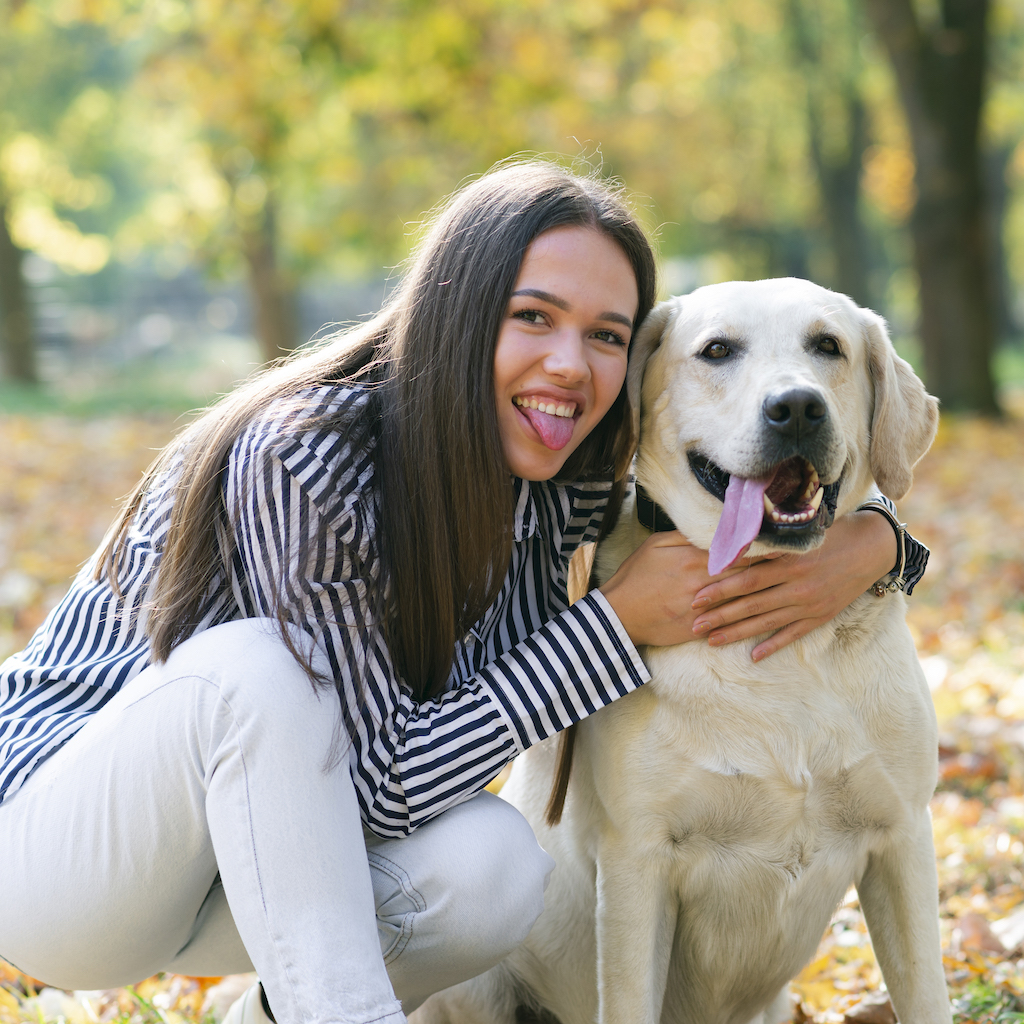
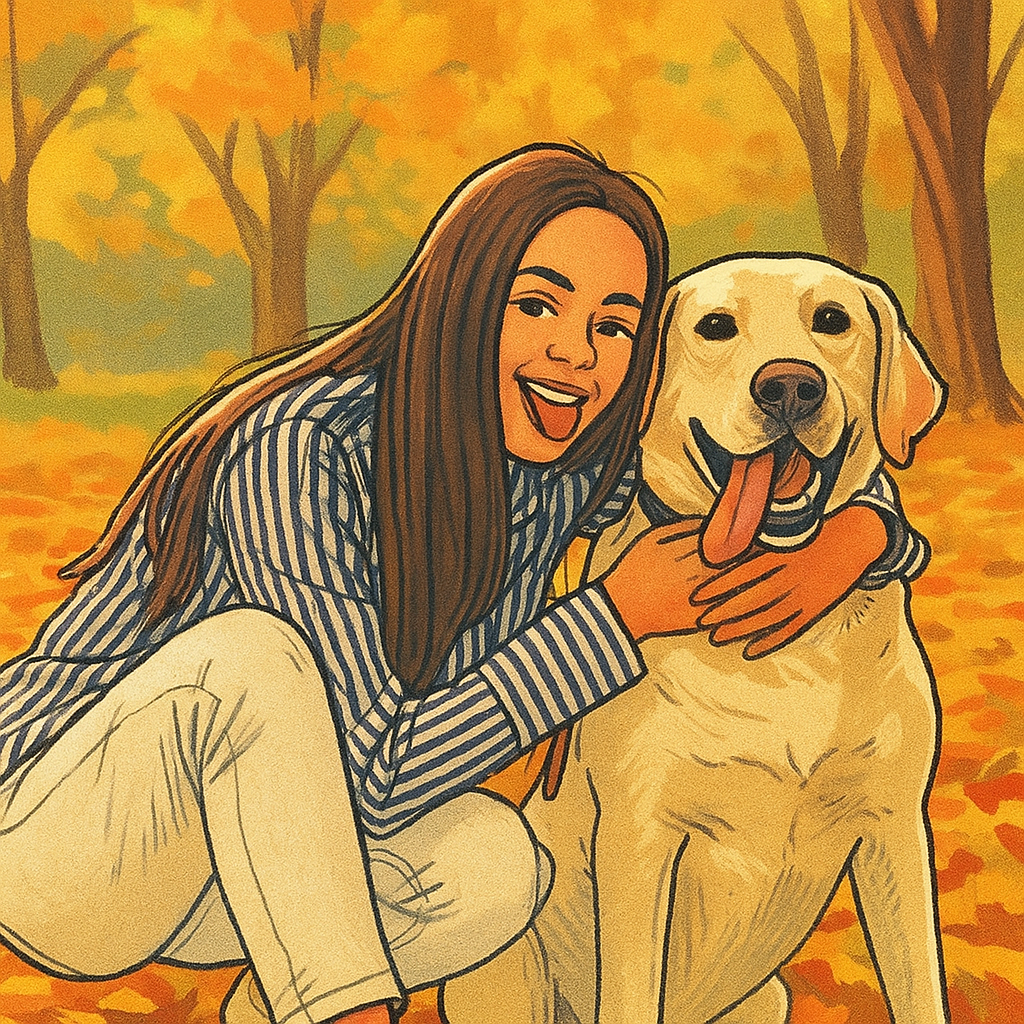
- 입력
- One clear reference photo
- 출력
- A drawn, full-color illustration
- 다음에 가장 적합
- Portraits, pets, editorial art, and gifts
Original photo / Illustration
See the illustrated treatment before you generate
Drag the divider to compare the original photo with a warm editorial illustration that keeps both subjects recognizable.
Original photoIllustrationA reference-led illustration workflow
Keep the subject recognizable
The preset asks the model to preserve the pose, proportions, expression, and composition before changing the visual medium.
Replace photographic texture
Drawn contours, simplified color regions, and subtle print grain create an authored illustration instead of a generic filter.
Direct the finish
Edit the prompt to request cleaner editorial shapes, softer children's-book texture, bolder ink, or a more restrained palette.
How to turn a photo into an illustration
The preset gives the model a clear medium while leaving the reference, prompt, model, frame, and output settings editable.
- 1
Choose a readable source photo
Use a photo with a clear subject, visible features, and enough separation from the background.
- 2
Set the illustration direction
Keep the preset or describe the line weight, palette, texture, background detail, and publishing context you need.
- 3
Generate and inspect identity
Compare faces, paws, hands, products, and important relationships with the source before downloading the result.
What to review in an illustrated result
- Illustration changes small details
- Fine jewelry, fur, hair, patterned clothing, hands, and distant objects may be simplified into drawn shapes.
- It is not vector output
- The workflow creates a raster image with a vector-like or printed illustration treatment, not an editable SVG file.
- Use images you can publish
- Only upload photos and references that you are allowed to use for your intended personal or commercial project.
Photo to illustration questions
- What photos work well for illustration conversion?
- Portraits, pets, products, and scenes with a clear subject and readable lighting usually provide the strongest starting point.
- Will the illustration still look like the original subject?
- The preset prioritizes recognizable features and composition, but every generated result should be compared with the source.
- Can I change the illustration style?
- Yes. Edit the prompt to adjust linework, color palette, texture, background complexity, and the intended editorial finish.
- Does this export an editable vector?
- No. It generates a downloadable raster image. Use a separate tracing workflow if you need editable vector paths.
업데이트됨:
Workflow source: Current ImageStyle reference-image generator.