사진을 연필 스케치로
사진을 손으로 그린 듯한 연필 스케치로 바꾸세요.
사진을 올리고 피사체를 유지하면서 연필 스트로크, 선 굵기, 해칭, 종이 질감으로 다시 그리는 프리셋으로 시작하세요.
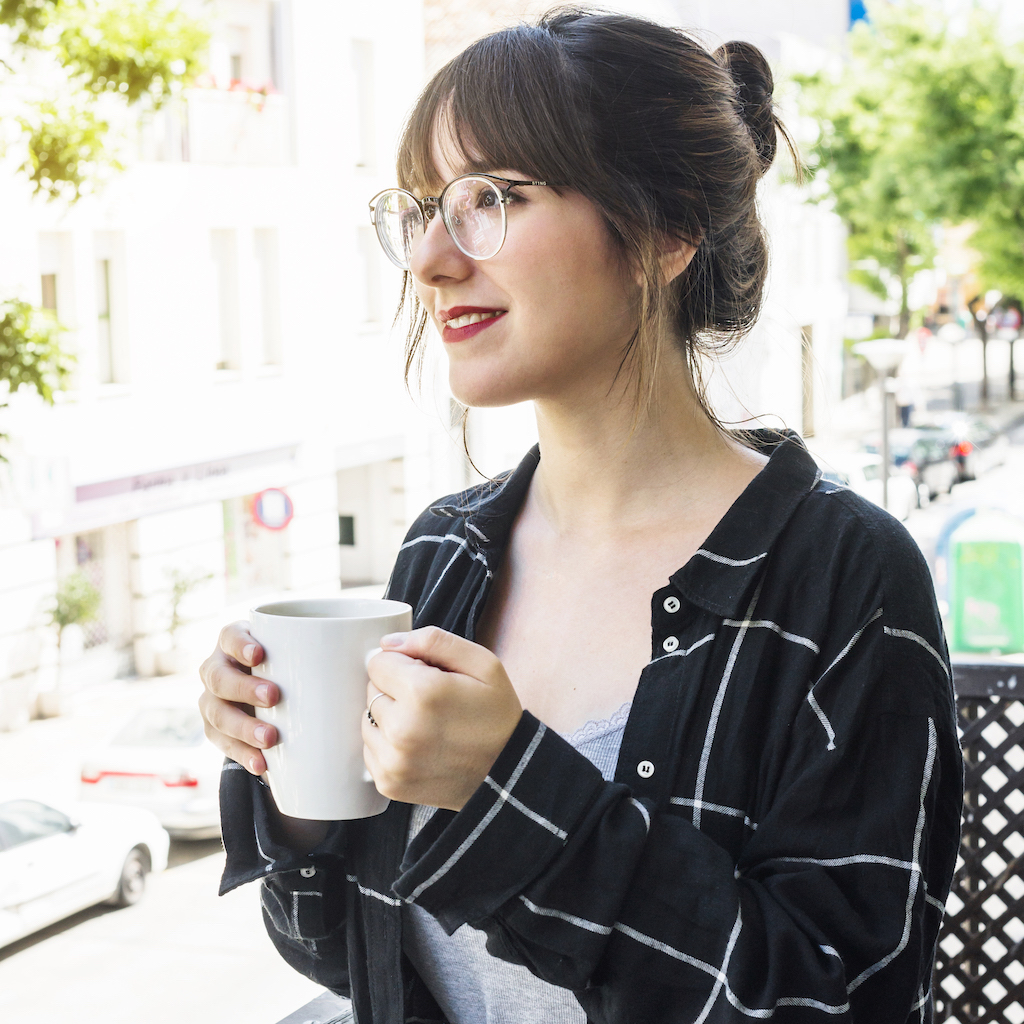
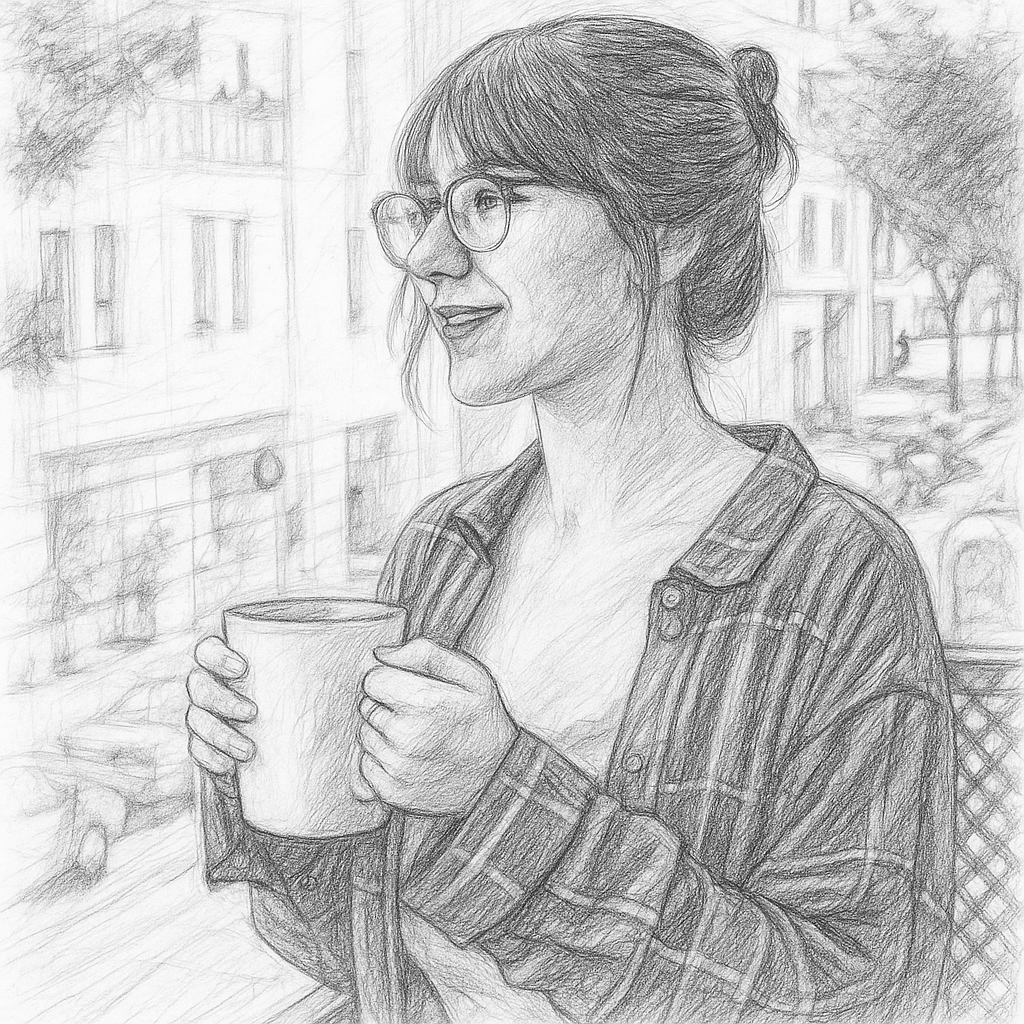
- 입력
- One clear reference photo
- 출력
- Graphite-style pencil sketch
- 다음에 가장 적합
- Portraits, pets, architecture, objects, and gifts
Original photo / Pencil sketch
See the pencil structure before you generate
Drag the divider to compare the original portrait with a graphite-style sketch that keeps the face and clothing readable.
Original photoPencil sketchA focused photo-to-sketch workflow
Build with pencil marks
The preset asks for visible graphite strokes, varied pressure, cross-hatching, and controlled shading rather than a filtered photograph.
Keep the subject recognizable
The prompt anchors the pose, proportions, silhouette, and important facial or product features while simplifying distractions.
Choose the sketch finish
Edit the prompt to request loose gesture lines, a cleaner portrait study, darker graphite, or lighter paper texture.
How to turn a photo into a pencil sketch
The sketch preset supplies the drawing direction while the ImageStyle workspace keeps the prompt, reference, model, canvas, and output settings editable.
- 1
Choose a photo with readable form
Use a subject with clear edges, lighting, and separation from the background so the drawing has a useful value structure.
- 2
Review the pencil direction
Keep the preset or specify graphite darkness, line looseness, paper tone, background detail, and the amount of cross-hatching.
- 3
Generate and inspect the drawing
Compare the sketch with the source, then refine identity, proportions, line density, or shading before downloading it.
What to inspect in a generated sketch
- Sketch and line drawing are different
- A pencil sketch uses tonal shading and visible hand-drawn marks. Use the line-drawing workflow when you need cleaner black-and-white contours.
- Fine features can shift
- Check faces, hands, text, jewelry, building details, and product markings at full size before publishing or printing.
- Use source material you can share
- Only upload photos and references that you are allowed to use for your intended personal, educational, or commercial project.
Photo to sketch FAQ
- What photos work best for a pencil sketch?
- Clear portraits, pets, buildings, and objects with readable light and shadow are useful starting points. Busy backgrounds can compete with the subject.
- Is this the same as a photo to line drawing?
- No. The sketch preset asks for graphite strokes, hatching, and tonal shading. A line drawing focuses on cleaner contours with less painterly texture.
- Can I change the pencil style?
- Yes. Edit the prompt to request a loose study, detailed portrait sketch, darker graphite, softer shading, or a cleaner white background.
- Do I need to write a prompt from scratch?
- No. The page opens ImageStyle with an editable sketch prompt, GPT Image 2 selected, and a reference image required.
업데이트됨:
Workflow source: Current ImageStyle reference-image generator.