사진을 클레이메이션으로
사진을 클레이메이션 캐릭터로 바꾸세요.
사진을 올리고 손자국이 남은 수제 점토 캐릭터로 다시 구성하는 프리셋으로 시작하세요.
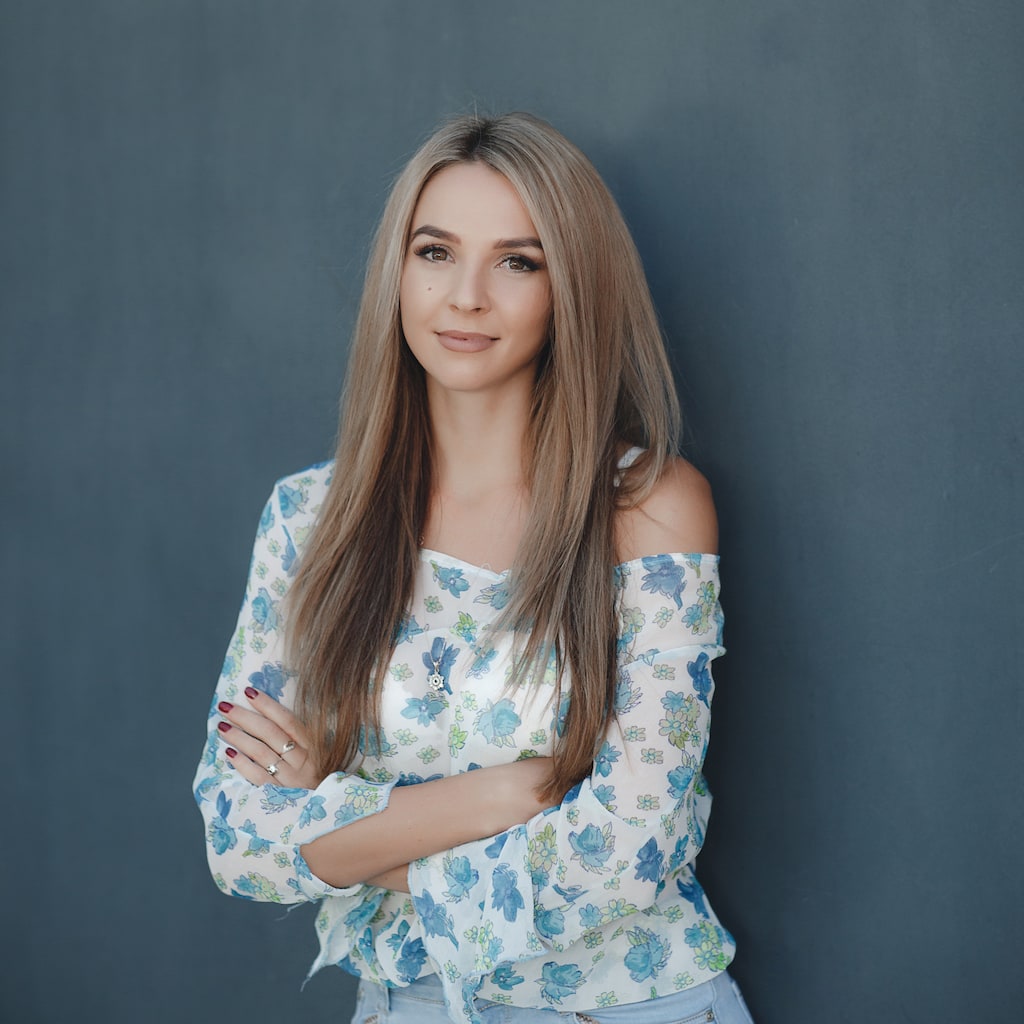
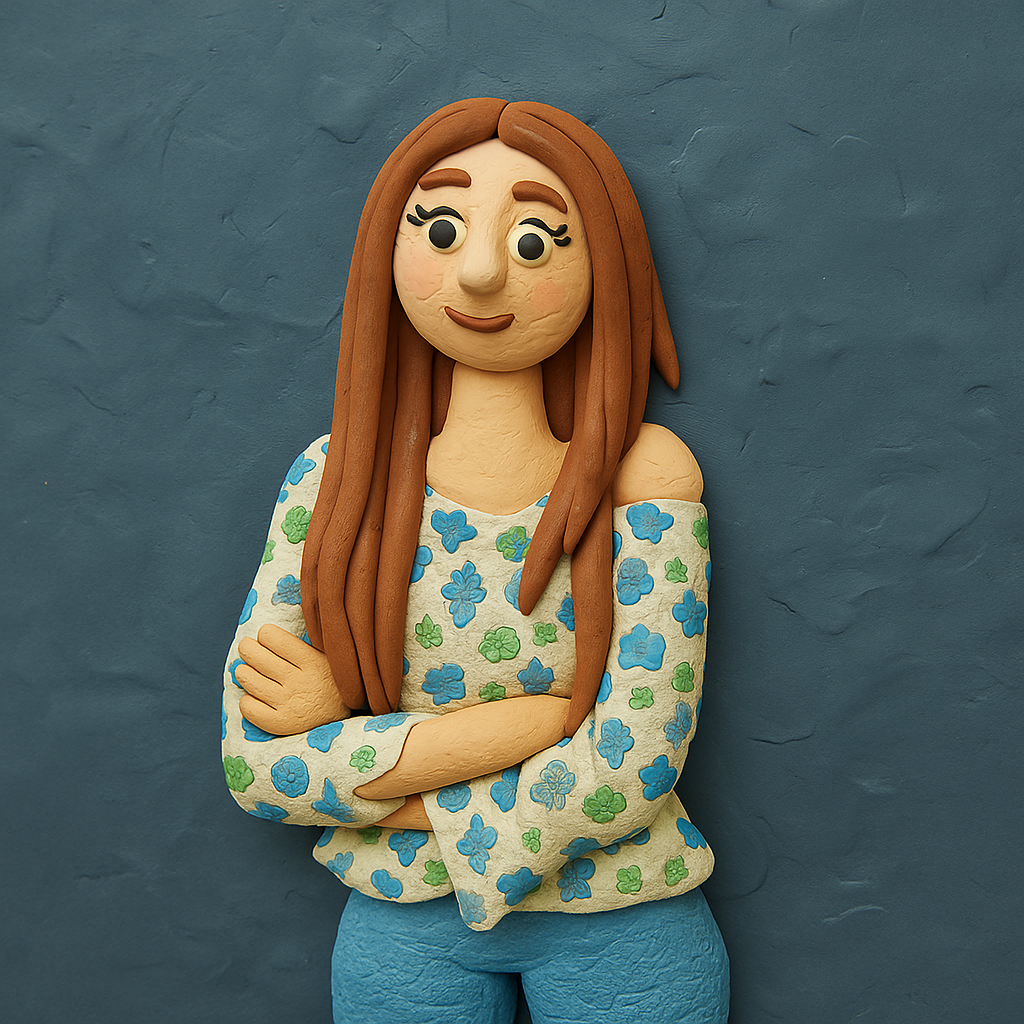
- 입력
- One clear portrait or pet photo
- 출력
- Hand-modeled clay figure on a mini set
- 다음에 가장 적합
- Profile pictures, cards, and playful gifts
Original photo / Claymation
See the clay look before you generate
Drag the divider to compare the source photo with a handmade claymation character.
Original photoClaymationA focused photo-to-clay workflow
Keep the handmade feel
The preset bakes in fingerprints, slight asymmetry, and matte plasticine texture for stop-motion charm.
Set the scene
Edit the prompt to place the figure on a miniature set with tiny props and a soft backdrop.
Compare against the source
Use the reference-image comparison to check the likeness before downloading or generating another pass.
How to turn a photo into a claymation character
The preset supplies the claymation direction while the ImageStyle workspace keeps the prompt and output settings editable.
- 1
Upload a clear portrait
Front-facing photos with simple backgrounds translate into readable clay characters.
- 2
Review the claymation prompt
The hand-modeled clay direction is prefilled. Keep it, or change the clay color or add set props.
- 3
Generate and compare
Inspect the clay figure beside the original photo, then refine or download the result.
What to inspect in the generated figure
- Clay simplifies features
- Fine skin and hair detail becomes lumpy sculpted texture. Check eyes and mouth at full size.
- Likeness is caricature-adjacent
- Clay models exaggerate slightly. Expect charm over accuracy for faces.
- Use source material you can share
- Only upload photos and references that you are allowed to use for the intended project.
Photo to claymation FAQ
- How is this different from a 3D chibi figure?
- Claymation keeps natural proportions but replaces clean rendering with handmade plasticine texture and a miniature set.
- Do I need to write a prompt?
- No. The claymation direction is prefilled and editable. Generate as-is or adjust clay color and props first.
- Can I make a stop-motion clip from it?
- This page produces still images. Use a separate video workflow if you want animated output.
- What happens to my uploaded photo?
- The image is uploaded to the same reference-image workflow used by the ImageStyle generator. Review the current privacy and storage terms before using sensitive material.
업데이트됨:
Workflow source: Current ImageStyle reference-image generator.