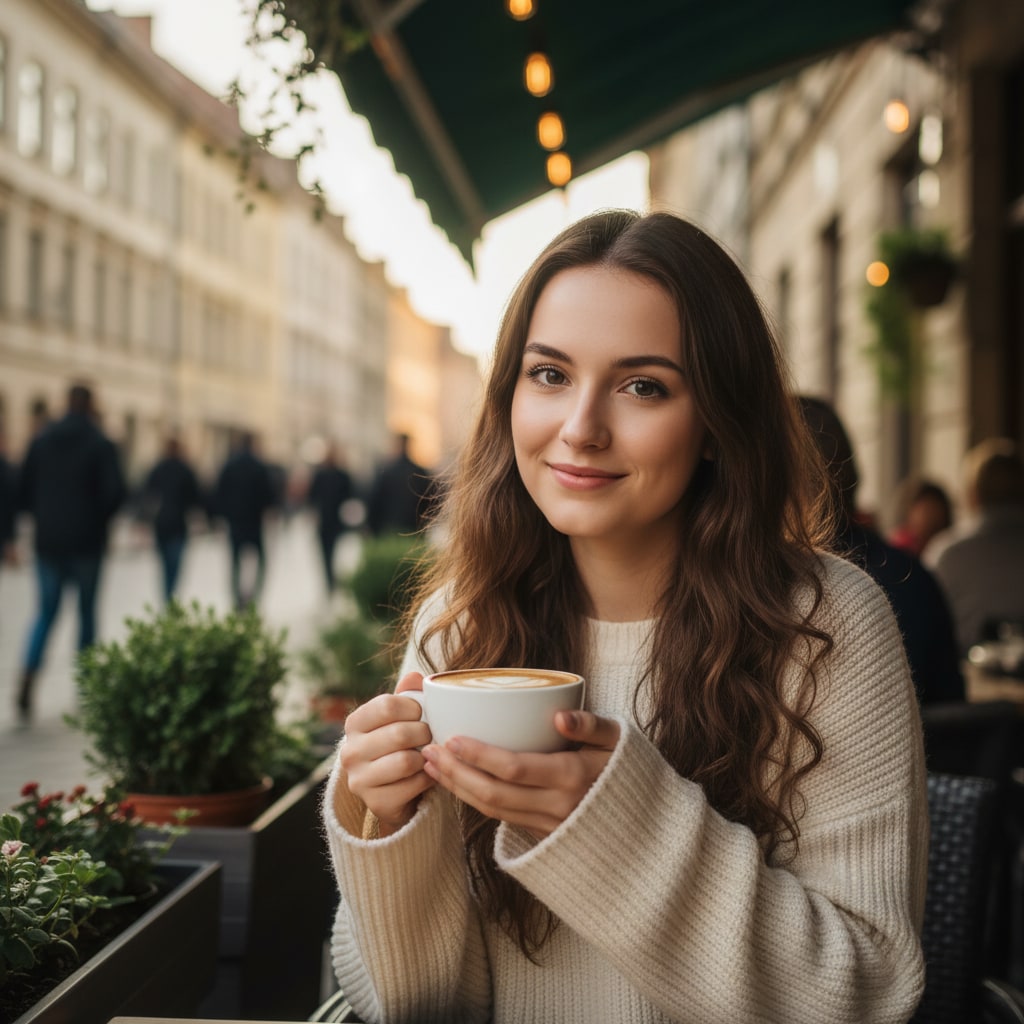
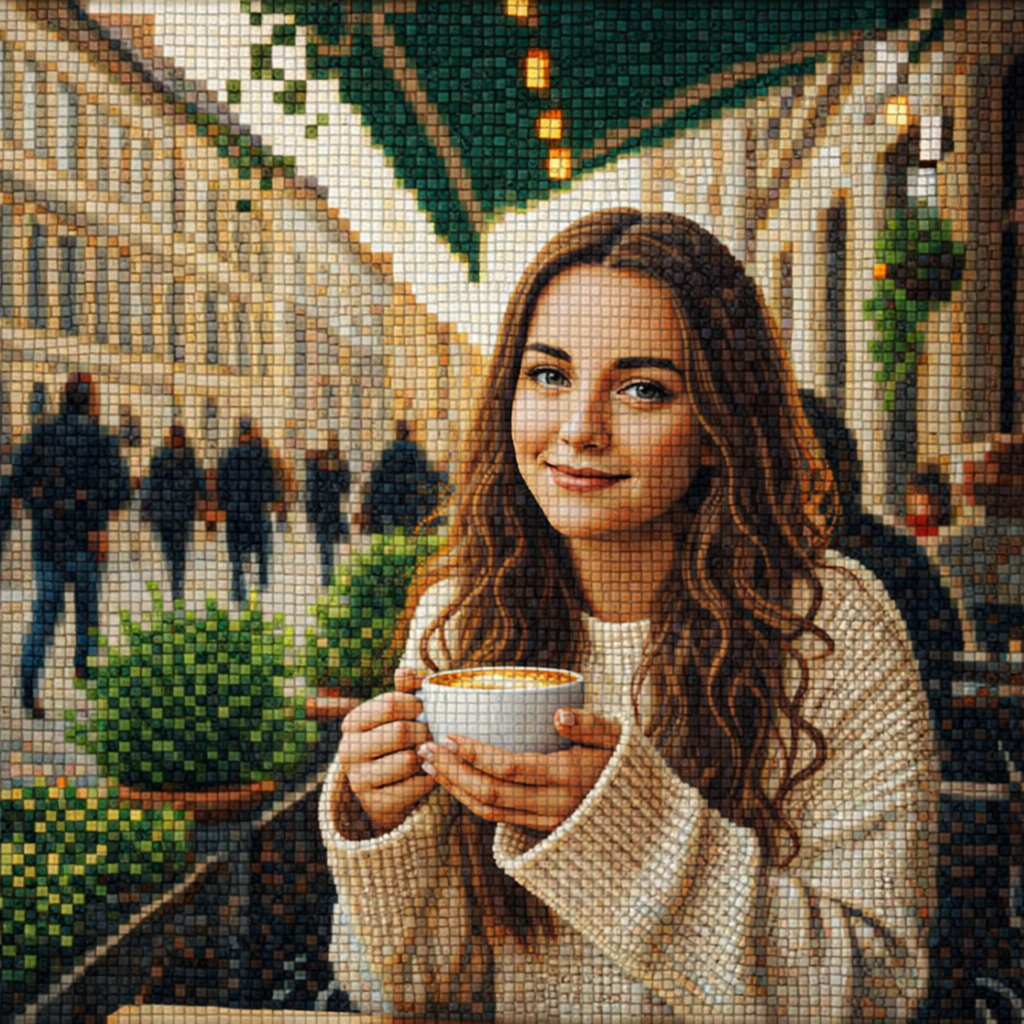
- 入力
- One clear photo
- 出力
- Grouted tile-mosaic artwork
- こんな方に最適
- Portraits, pets, and decor panels
Original photo / Mosaic art
See the tile grid before you generate
Drag the divider to compare the source photo with a hand-set tile mosaic reconstruction.
Original photoMosaic artA focused photo-to-mosaic workflow
Keep the image readable
The preset preserves subject shape and color fields while the surface becomes tiles.
Choose tile character
Edit the prompt for small dense tesserae, large rustic squares, or iridescent glass pieces.
Compare against the source
Use the reference-image comparison to check readability before downloading.
How to turn a photo into mosaic art
The preset supplies the tesserae direction while the ImageStyle workspace keeps the prompt and output settings editable.
- 1
Upload one clear photo
Bold subjects with simple backgrounds survive the tile grid better than busy scenes.
- 2
Review the mosaic prompt
The hand-set tesserae direction is prefilled. Keep it or adjust tile size, material, and grout.
- 3
Generate and compare
Inspect the mosaic beside the original photo, then refine or download.
What to inspect in the generated mosaic
- Fine detail cannot tile
- Small text, thin lines, and delicate features blur into the grid. Check faces at full size.
- It is a flat artwork
- The output is a mosaic-style image, not fabrication instructions for a real tile installation.
- Use source material you can share
- Only upload photos and references that you are allowed to use for the intended project.
Photo to mosaic FAQ
- What photos suit mosaic best?
- Bold, simple subjects such as portraits, pets, and geometric decor motifs. High contrast reads best through tiles.
- Do I need to write a prompt?
- No. The mosaic preset starts with an editable tesserae direction. Generate as-is or adjust tile size first.
- Can I plan a real tile installation from it?
- Treat the result as a visual reference only. Real installations need professional fabrication drawings.
- What happens to my uploaded photo?
- The image is uploaded to the same reference-image workflow used by the ImageStyle generator. Review the current privacy and storage terms before using sensitive material.
更新されました:
Workflow source: Current ImageStyle reference-image generator.