AI 헤어스타일 변경
가위질하기 전에 새 헤어스타일을 시도해 보세요.
사진을 올리고 얼굴에 어울리는 헤어스타일만 바꿔 결과를 확인하는 프리셋으로 시작하세요.
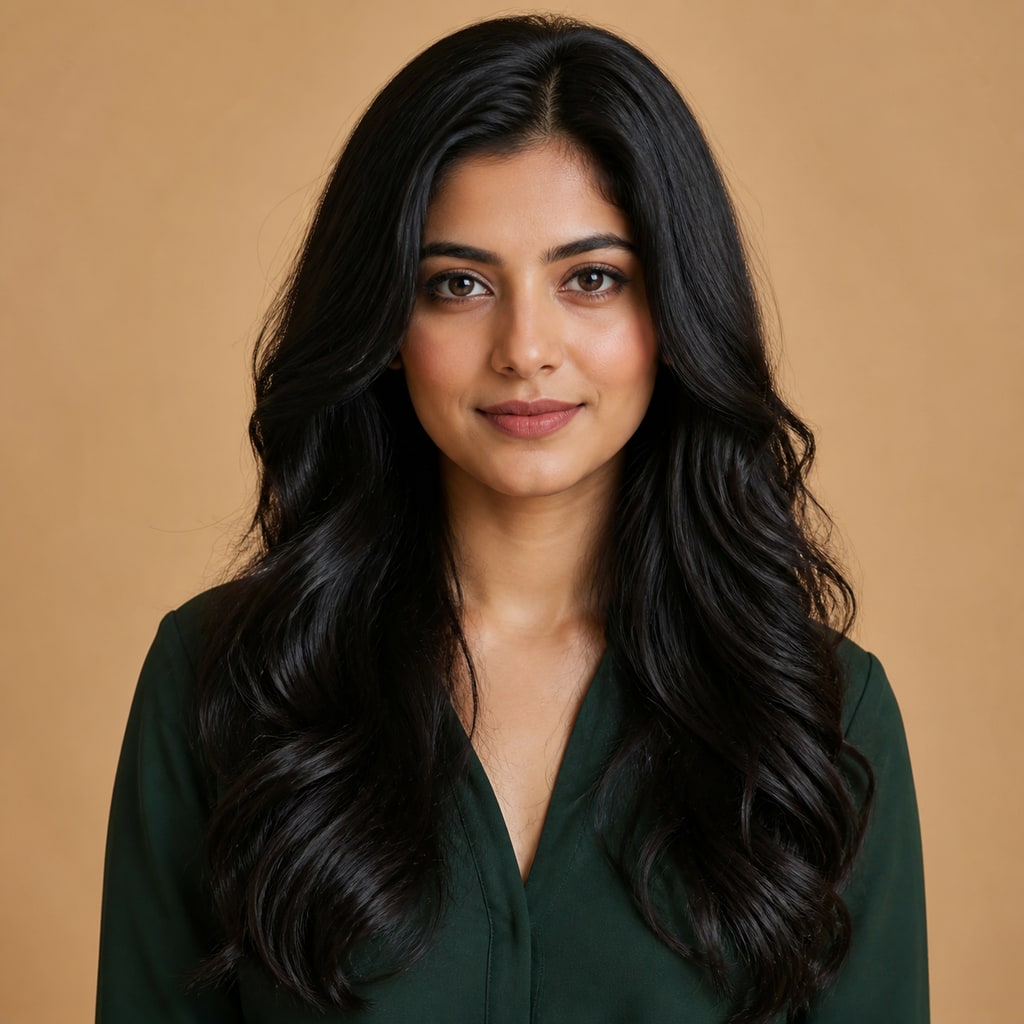
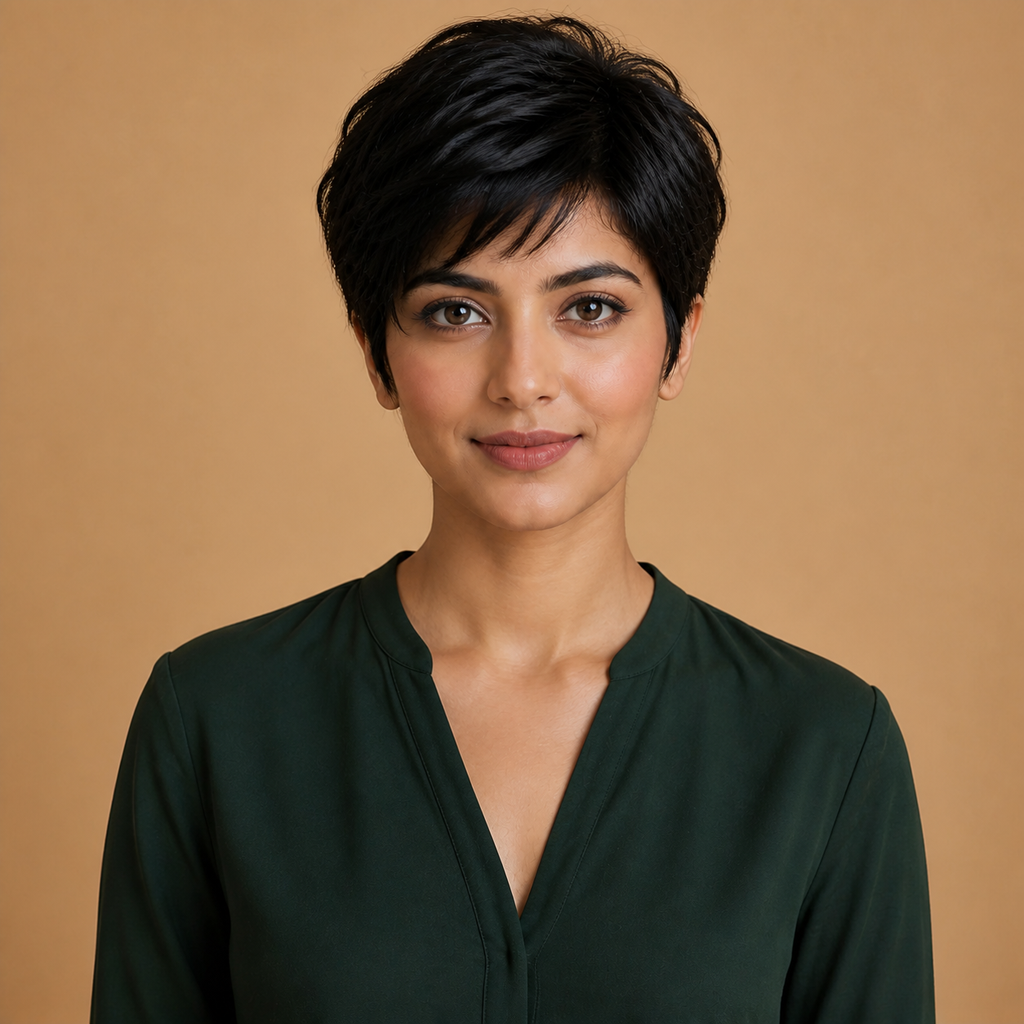
- 입력
- One clear face photo
- 출력
- The same photo with a new hairstyle
- 다음에 가장 적합
- Salon consults and style experiments
Original photo / New hairstyle
See the new hairstyle before you generate
Drag the divider to compare the original hairstyle with a new modern cut.
Original photoNew hairstyleA focused hairstyle try-on workflow
Identity stays locked
The preset changes hair only — face, skin, and everything behind you remain as shot.
Describe any cut
Edit the prompt for bobs, fades, curtain bangs, curls, or color-tinged highlights.
Compare against the source
Use the reference-image comparison to judge the new cut from every angle you uploaded.
How to try a hairstyle on a photo
The preset supplies the hairstyle direction while the ImageStyle workspace keeps the prompt and output settings editable.
- 1
Upload a clear hair-visible photo
Front-facing photos with the full hairline visible transform most reliably.
- 2
Review the hairstyle prompt
The modern-layered direction is prefilled. Keep it, or describe the exact cut and color you want.
- 3
Generate and compare
Inspect the new look beside the original, then refine or download the result.
What to inspect in the try-on
- Hairline realism varies
- Complex updos and intricate braids may simplify. Check the hairline at full size.
- Hats and head coverings block edits
- Photos where hair is hidden under hats or hoods give the model little to work with.
- Only edit faces with consent
- Upload photos of yourself or of people who agreed to the try-on.
Hairstyle changer FAQ
- Will everything except the hair stay the same?
- Yes. The preset is tuned to change the hairstyle only and keep identity, lighting, and background as shot.
- Do I need to write a prompt?
- No. A modern layered cut is prefilled and editable. Generate as-is or describe your target cut first.
- Can I test hair color too?
- Yes. Edit the prompt for highlights, balayage, or a full color change alongside the cut.
- What happens to my uploaded photo?
- The image is uploaded to the same reference-image workflow used by the ImageStyle generator. Review the current privacy and storage terms before using sensitive material.
업데이트됨:
Workflow source: Current ImageStyle reference-image generator.